Moderation, roles, and badges
Assign moderator and guest roles to Now4real users
One of the core features of Now4real is the public live group chat that is automatically created for every page of your website. It’s easy to realize that in any public live chat, moderation takes a central role, even if the ephemeral nature of Now4real chat messages greatly reduces the necessity of moderation. That being said, we are thrilled to announce that a new batch of new features revolving around moderation (and more!) has been publicly released.
Now, it’s very easy to make any of your users a moderator or a special guest and give them superpowers 🦸
From your Now4real Dashboard, go to Sites and click on the Settings button of a site. Then, choose Roles.
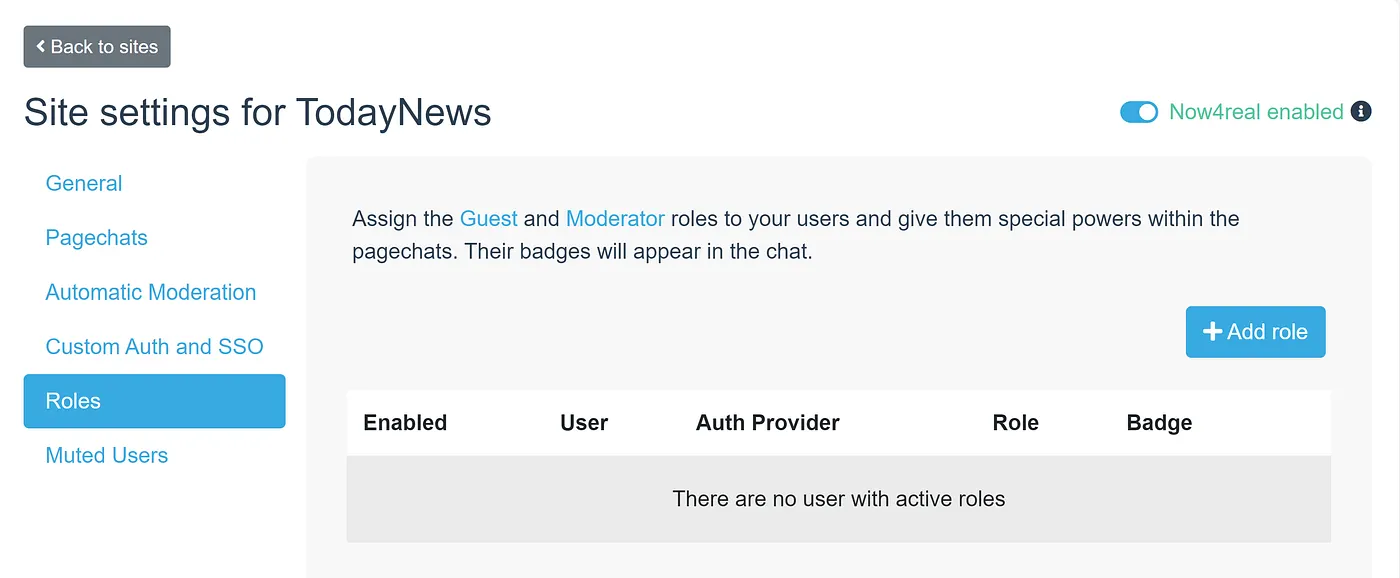
Let’s see the superpowers of Guest and Moderator roles:
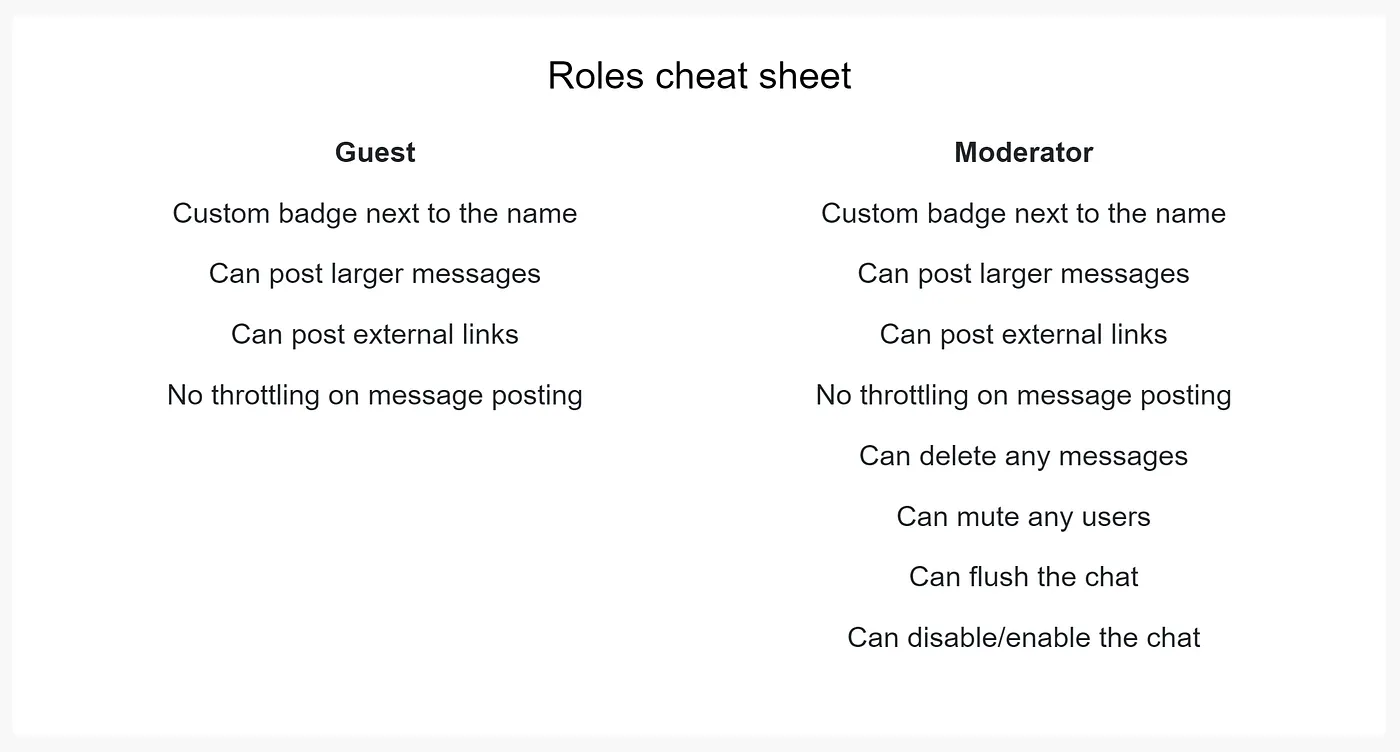
The Guest role is perfect when you invite somebody special to your pagechat, who cannot moderate users but who should appear with a badge and have less limits than normal users.
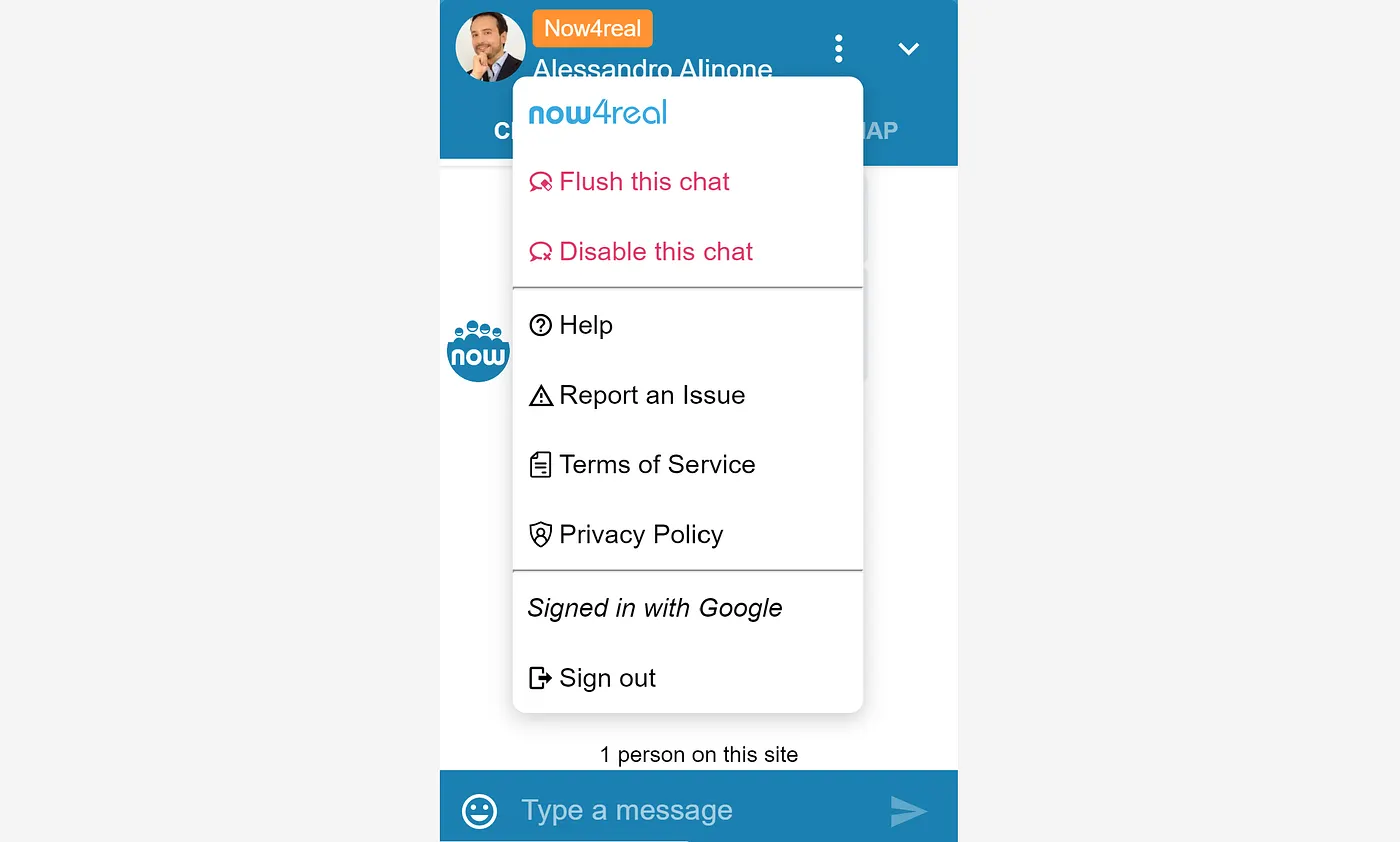
On the other hand, the Moderator role has all the Guest powers plus the ability to delete any messages before their natural expiry, to mute/unmute any users, to flush the pagechat, and to entirely disable the pagechat.
If you click the “Add role” button, a window will pop up, allowing you to choose any user who published a message in the past 7 days. After you choose a user, you can configure their role details.
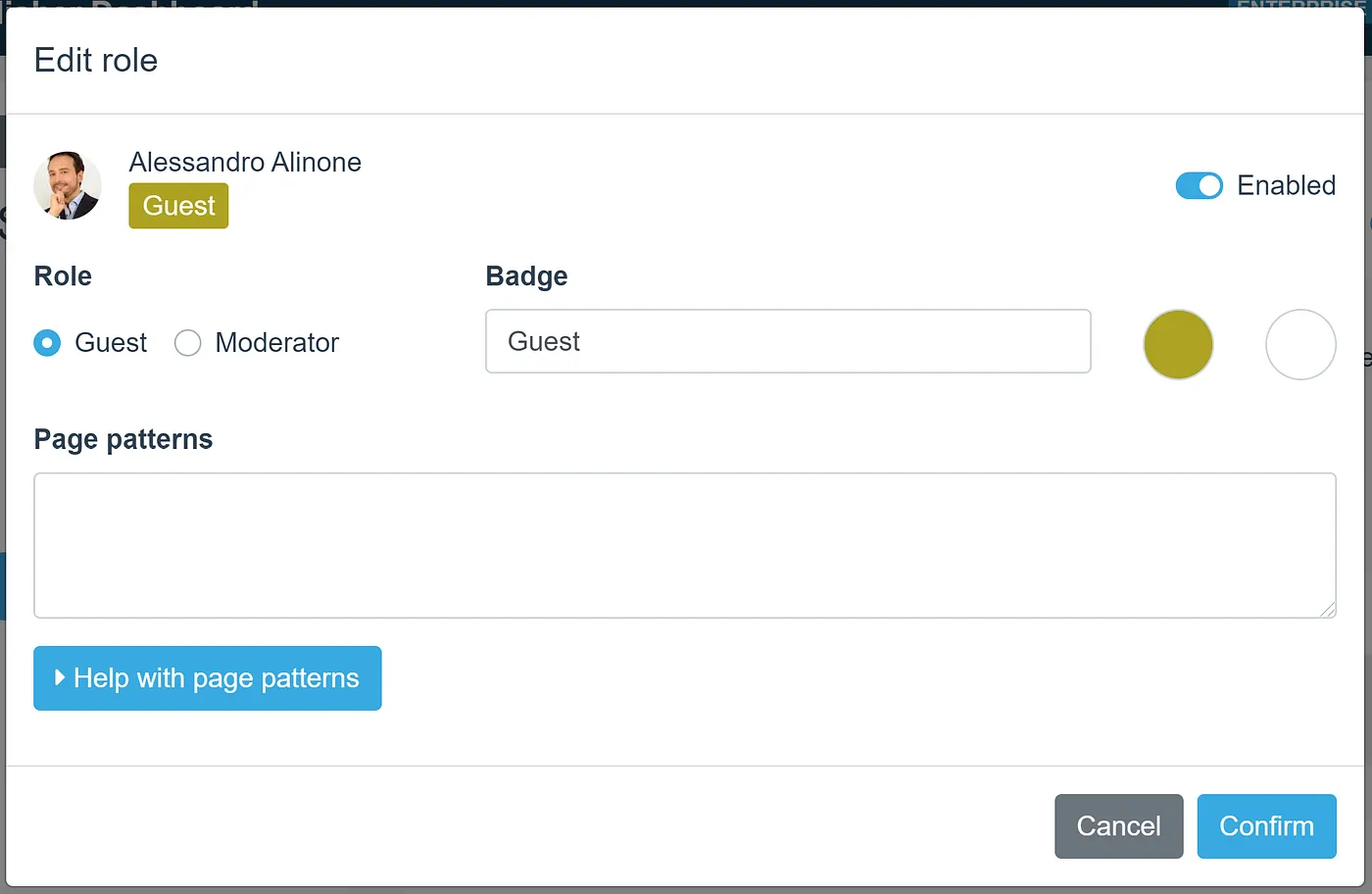
You can choose between Guest and Moderator and change the default badge, assigning a custom label with custom colors.
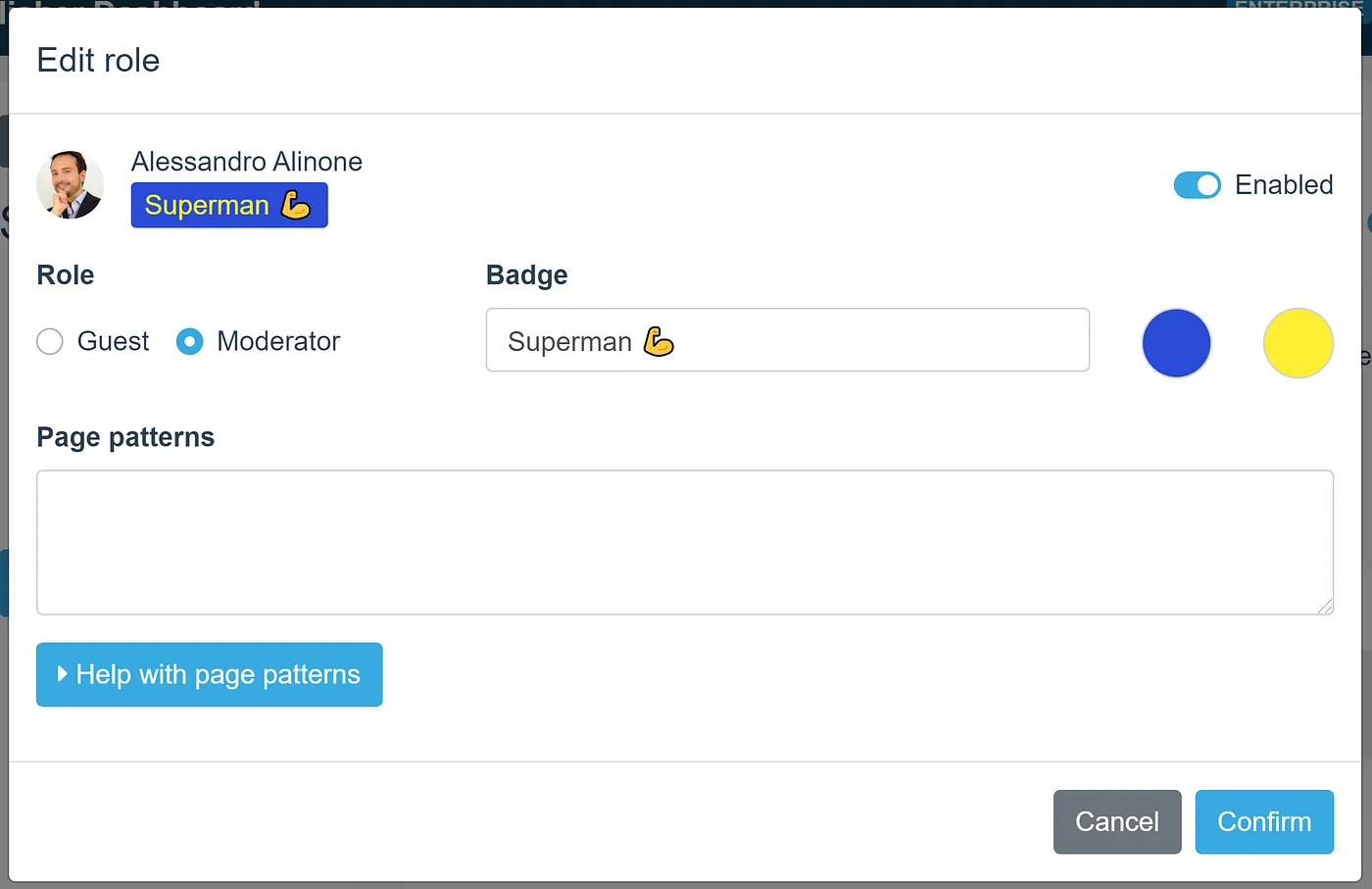
This is how my messages will appear in the chat:
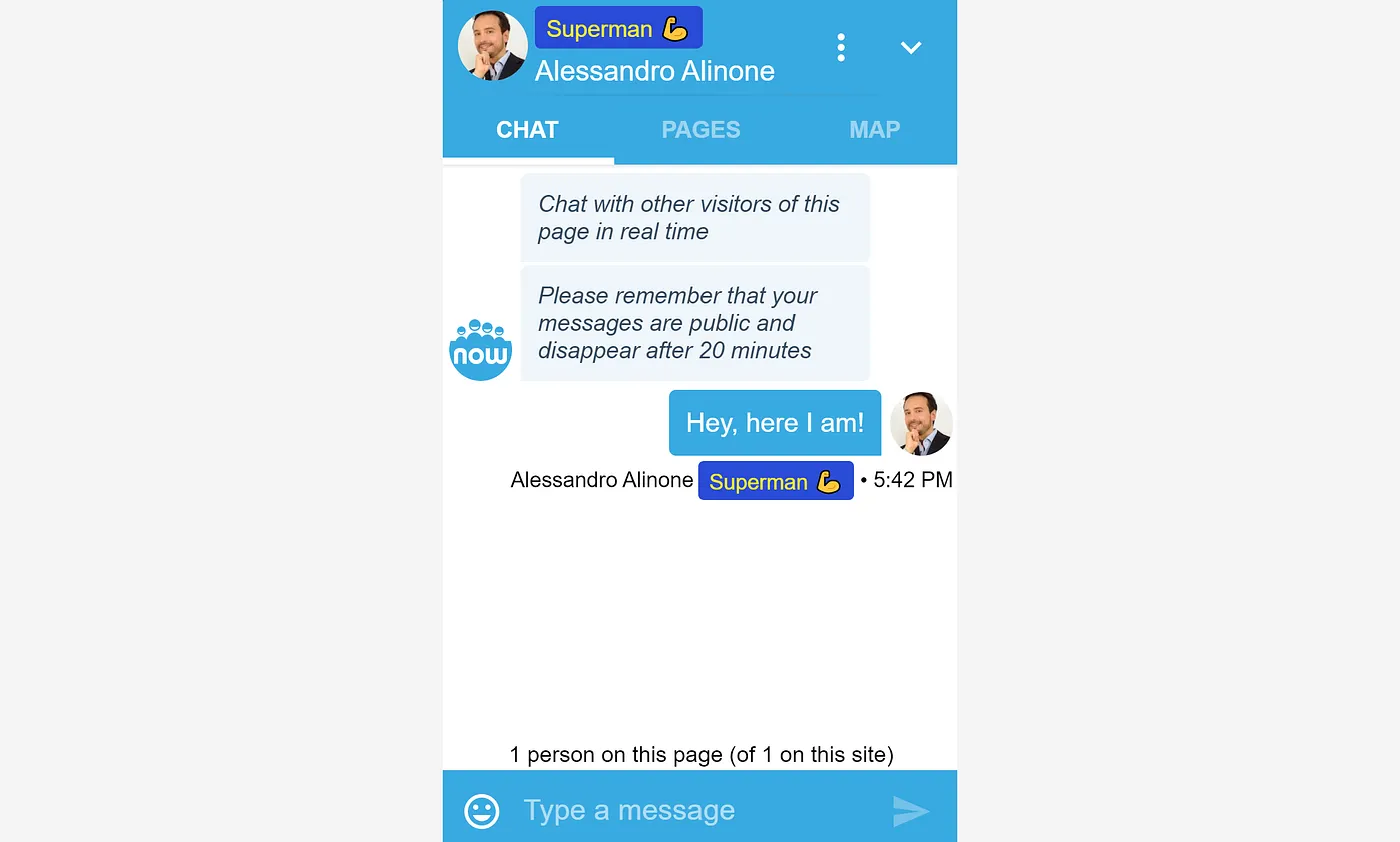
Now, I’m a moderator, so I can click on the three dots that appear when hovering or touching a message bubble and get a contextual menu with more options than usual.
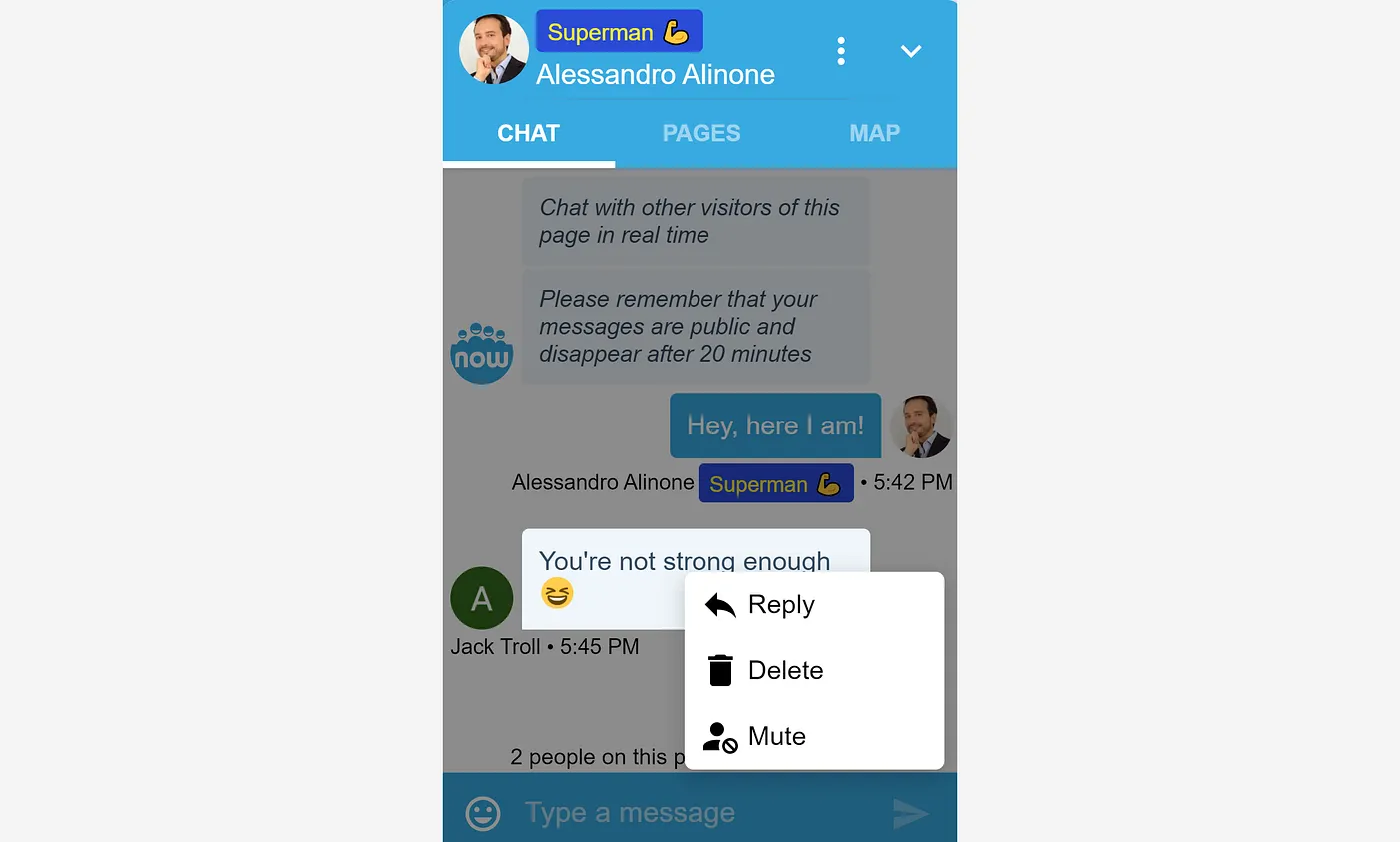
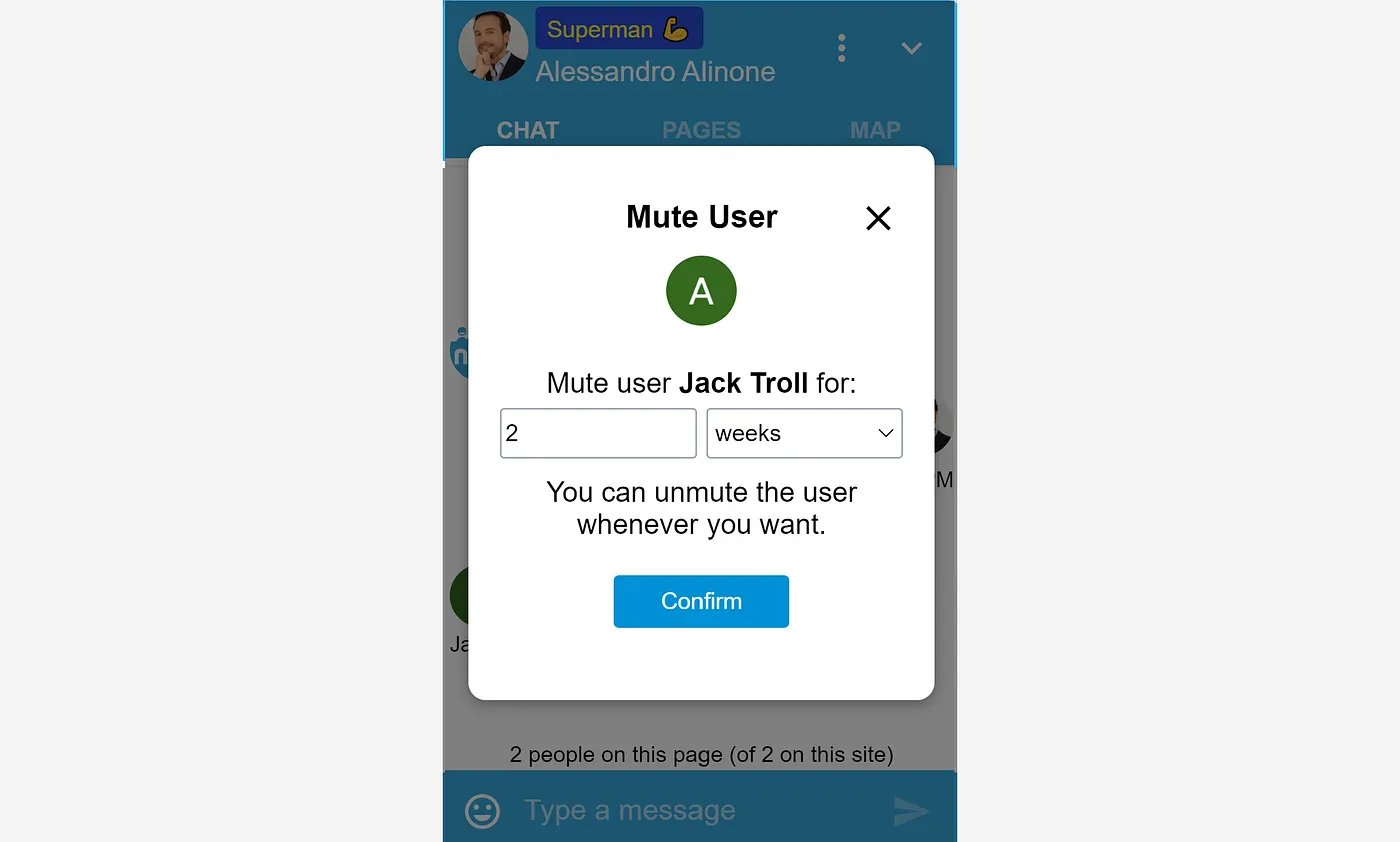
Instead of simply replying to that message, as any other user, I can delete that message and I can mute that user.
Moderators can flush and disable the current pagechat from the three-dot menu at the top-right.
You can check all the current roles in the Dashboard. You can temporarily disable them, and you can edit or delet them.
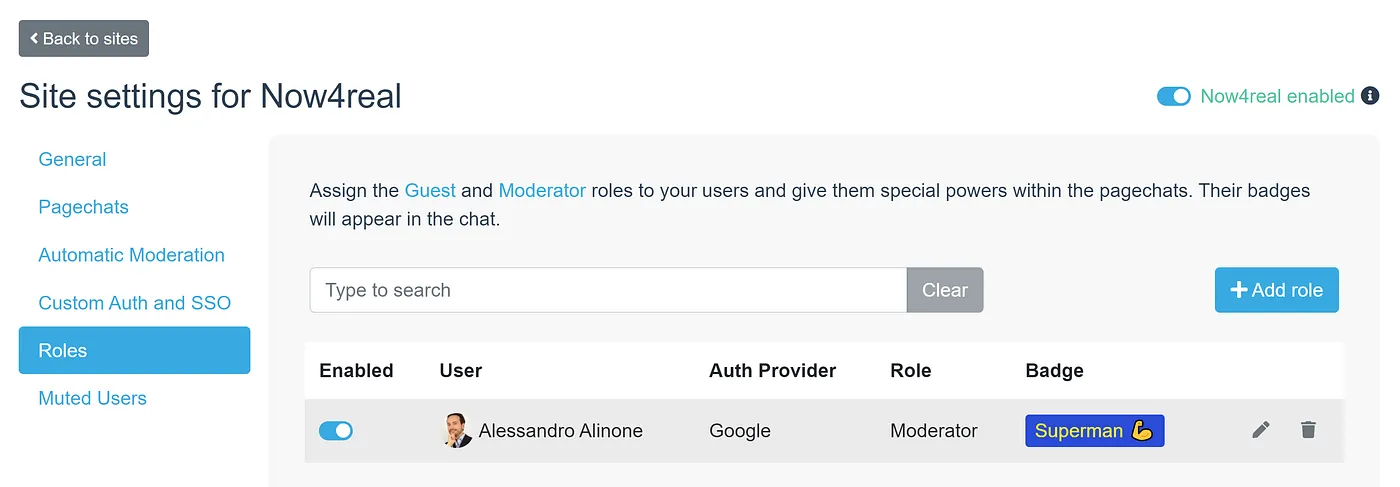
Roles work with both social authentication and custom authentication.
By default, a user role is applied to the whole site. But you can restrict it to a page only or to a set of pages. Edit the role and use page patterns to define what pages should be affected by that role. Click on “Help with page patterns” in the Dashboard to learn the pattern syntax.
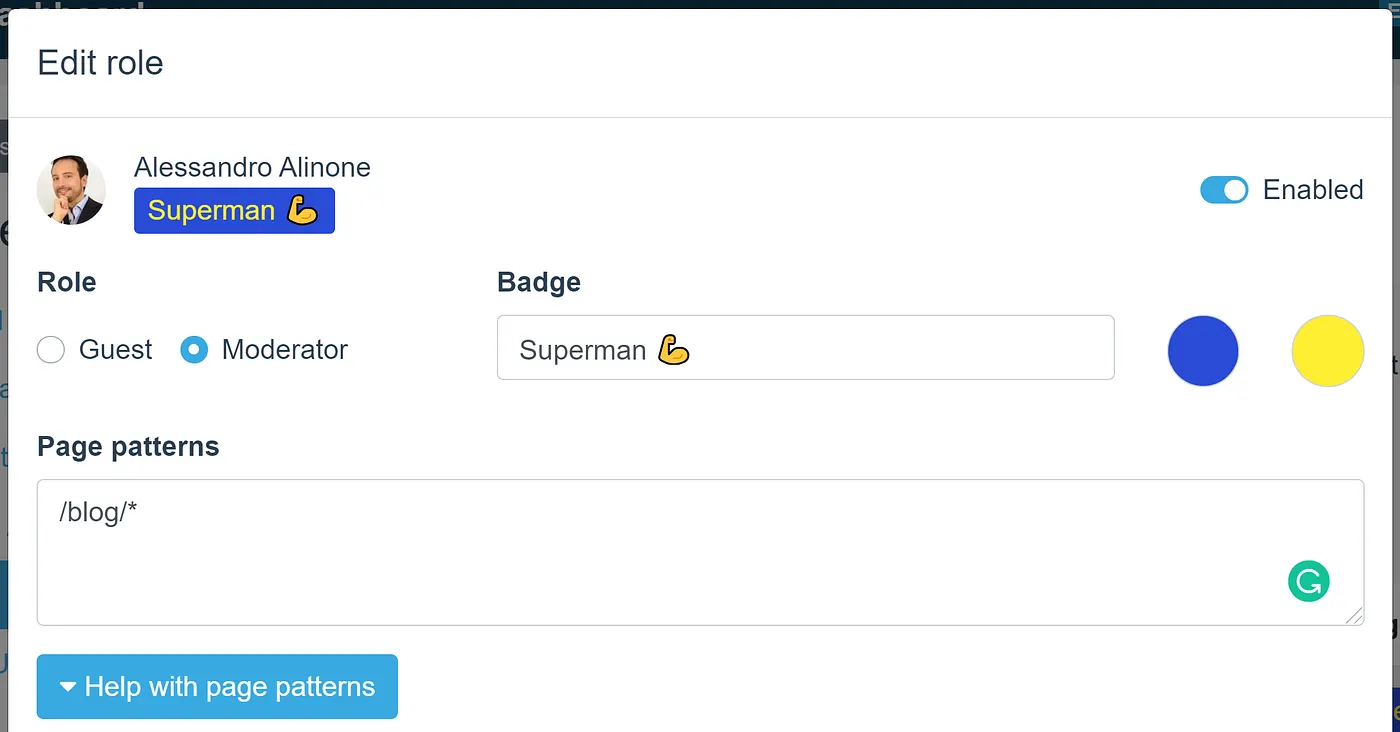
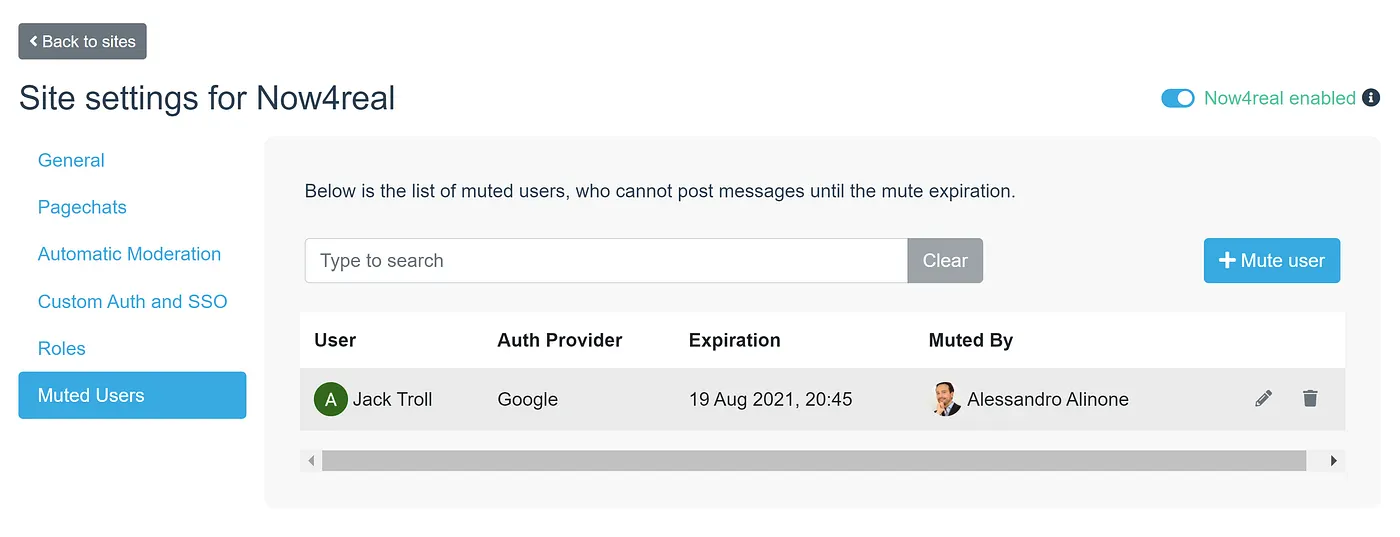
From the Muted Users section of the Dashboard, you can see the list of all currently muted users. You can instantly unmute them (trashcan icon) or you can edit their mute expiry (edit icon). You can even mute other users from there by clicking on the “Mute user” button.
The Administrator can still delete messages and mute users directly from the Dashboard, as in the past. Go to the Chat Transcripts section, where you can find three icons for each message: a trashcan to delete that message; a “user with a label” to edit that user’s role; a “user with a lock” to mute that user.

Your instant communities will become richer and more dynamic with guests and moderators! This feature is automatically available on all the Premium and Enterprise plans. Make sure to use it today. And if you are on the Free plan, this is another good reason to upgrade to the Premium plan 😉
January 7, 2026
Originally published: August 19, 2021
Table of Contents
Recent articles


Add Now4real to your site today
Easy. Free. Instant.
Let visitors chat, discover hot pages, and build instant communities—right on your website.


Details and disclaimer


